Don't Miss Hidden Issues Check the Vehicle's CARFAX History

Before you buy a used car, uncover accidents, title issues, and hidden damage. A fast history check could save you thousands.

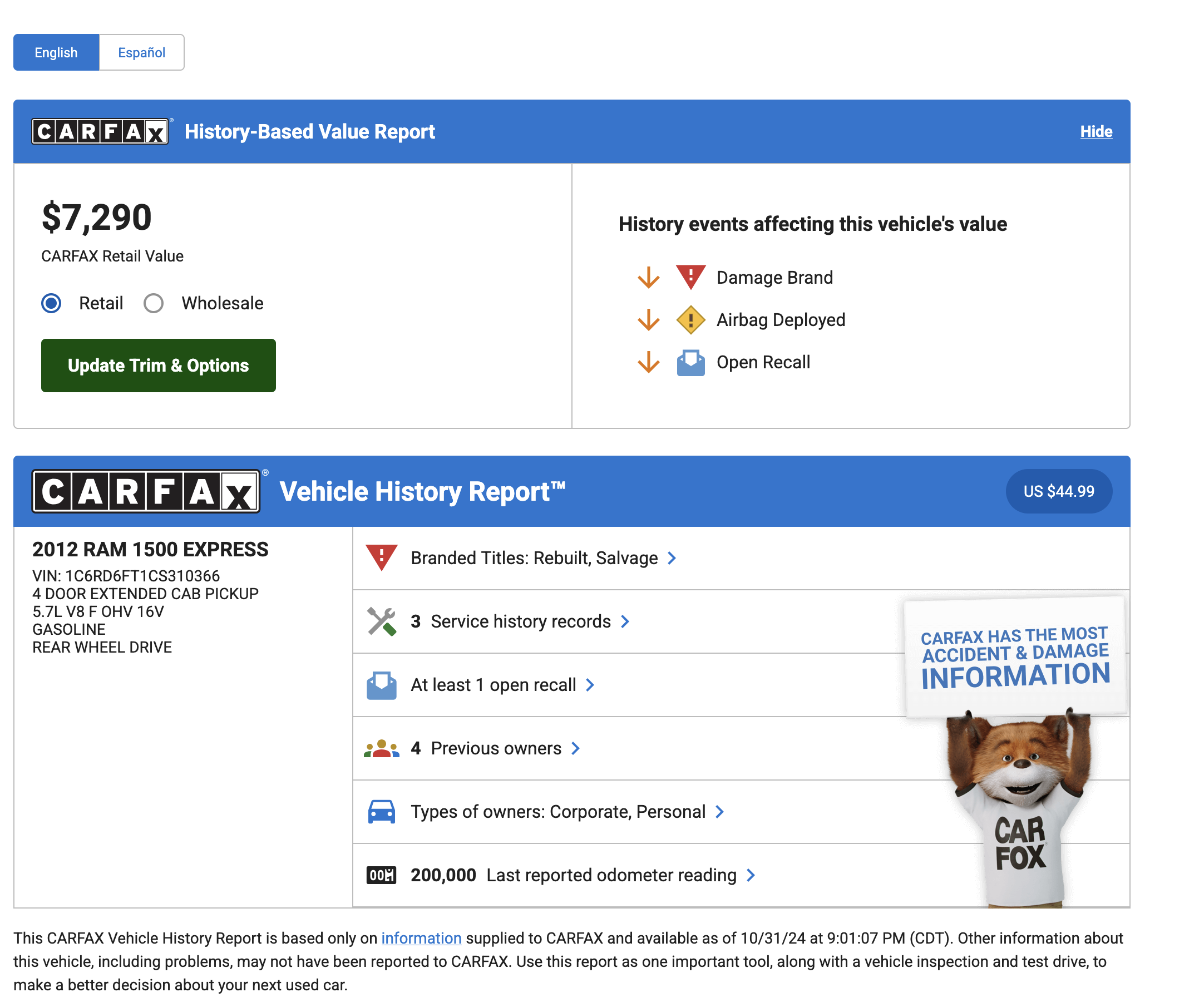
See exactly what’s inside your report

Review a real example to understand the data, layout, and insights you’ll receive.

Sample vehicle history report preview
View full sample report

How it works

Get your vehicle report in just a few simple steps.

Step 1

Enter vehicle details

Provide the VIN or license plate to identify the vehicle and start the request securely.

Step 2

Choose your option

Select the report option that matches your needs and confirm your request.

Step 3

Access your report

Your Carfax report becomes available instantly from your account, ready to view or download.

Our Pricing options
SAVE 27%

two

2 Reports

$65.98

$32.99 per report

Save 27% vs. single report

  • Complete accident & service records
  • Title & ownership history
  • Odometer verification
  • 24/7 customer support
⏳ Credits valid for 4 months after purchase
🔒 Secure checkout
🛡️ Report available from your account
Most Popular

one

1 Report

$44.99

$44.99 per report

For a single CARFAX report

  • Complete accident & service records
  • Title & ownership history
  • Odometer verification
  • 24/7 customer support
⏳ Credits valid for 4 months after purchase
🔒 Secure checkout
🛡️ Report available from your account

No account needed • Get your report instantly

Best Value
SAVE 36%

four

4 Reports

$115.96

$28.99 per report

Save 36% vs. single report

  • Complete accident & service records
  • Title & ownership history
  • Odometer verification
  • 24/7 customer support
⏳ Credits valid for 4 months after purchase
🔒 Secure checkout
🛡️ Report available from your account

Frequently Asked Questions

Clear answers to the most common questions before and after your request.

How fast will I receive my report?
Your report is available instantly after checkout. No waiting time.
How do credits work?
One credit gives access to one vehicle report. You can purchase multiple credits and use them whenever you want.
Can I save my report as a PDF?
Yes. Use the “Print” option in your browser and select “Save as PDF”. If the option doesn’t appear, our support team can help.
Can I get a refund?
Refunds are only considered when no vehicle data is available. If the report contains vehicle information, refunds are not possible.
How does the refund amount work?
The refunded amount equals the original price minus the processing fee.

Example: Paid 44.99$ → fee 2.00$ → refund of 42.99$.

Still have questions?

Contact support